


- Role
- Solo — interaction design, front-end
- Build
- Web
- Built with
 Cursor agents
 Claude Code
- Claude
 Figma
Figma
- Timeline
- Part of the KYRON build · Aug–Sep 2026

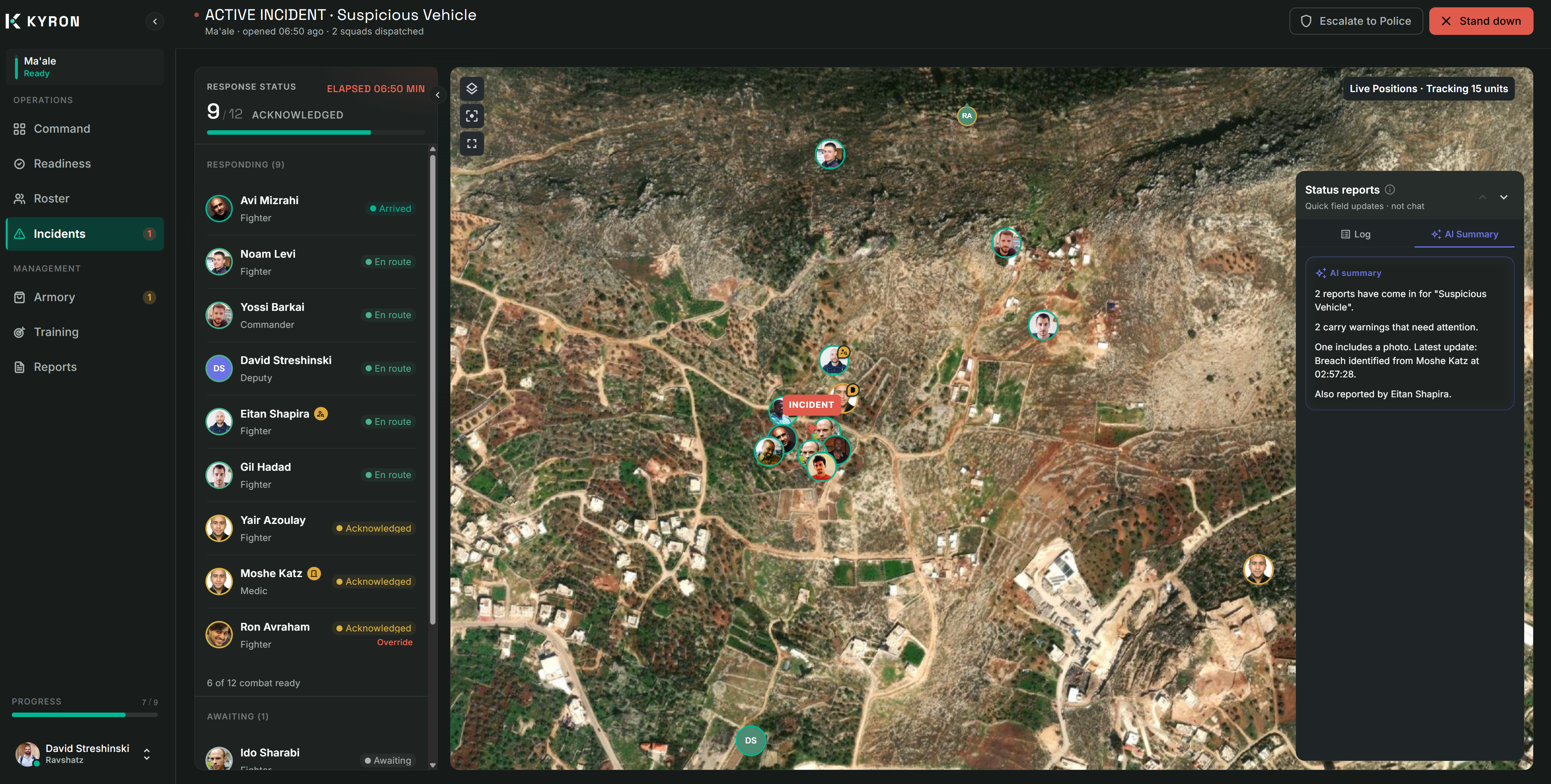
The central design question
In a system of record, a suggestionthat looks like a record is a bug.
The advisor is templated — no model yet. Fixing inputs and outputs first kept interaction design separate from inference.
- Operational data
- Advisor (AI)
The advisor activates at three steps in the declare-incident wizard, and summarizes field reports once squads are dispatched — this case study covers the wizard and the incident summary. Other AI surfaces exist in the product (Readiness Ask, Reports, document scan).
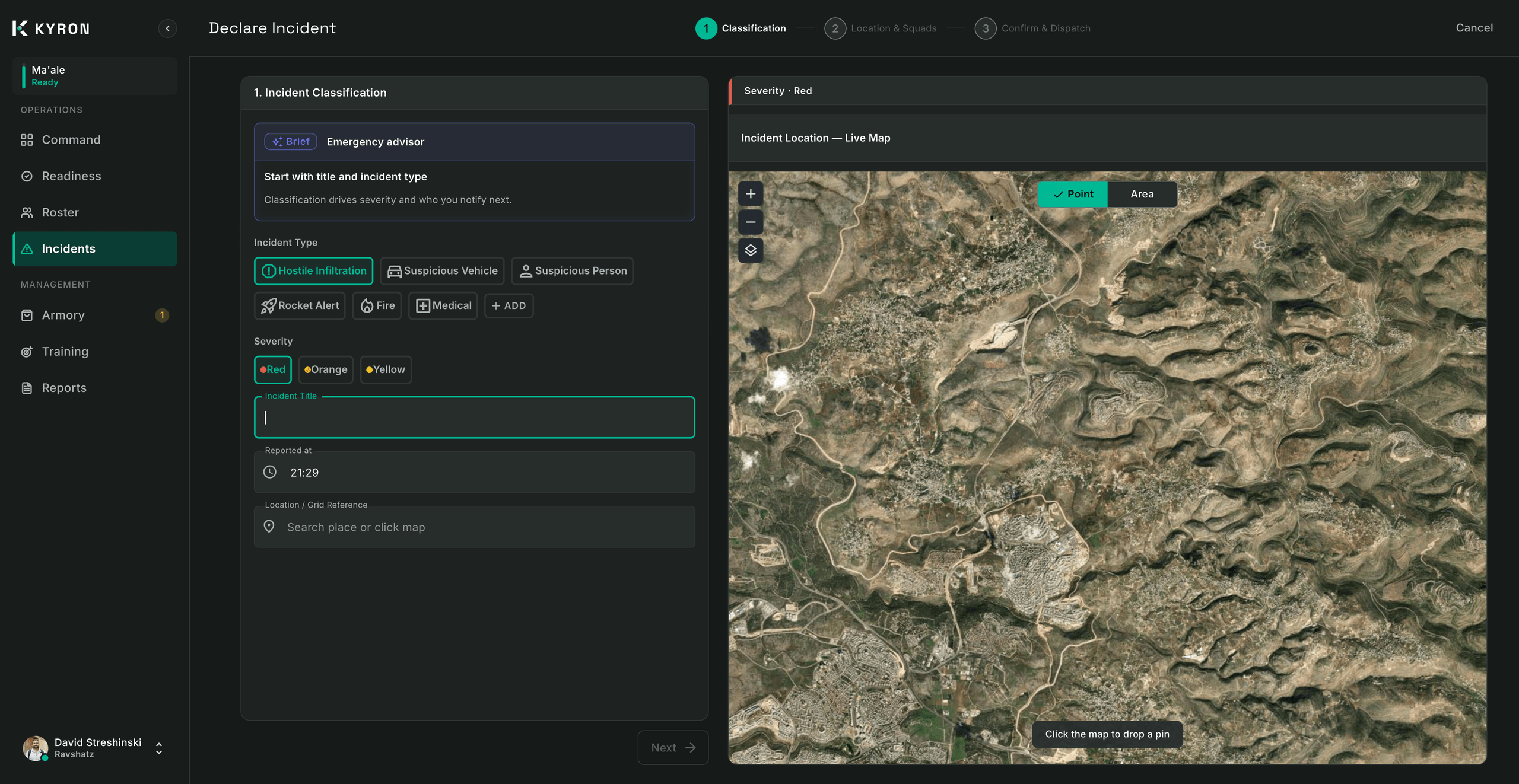
- 1. Classification: tip strip as the coordinator fills title, type, severity and location.
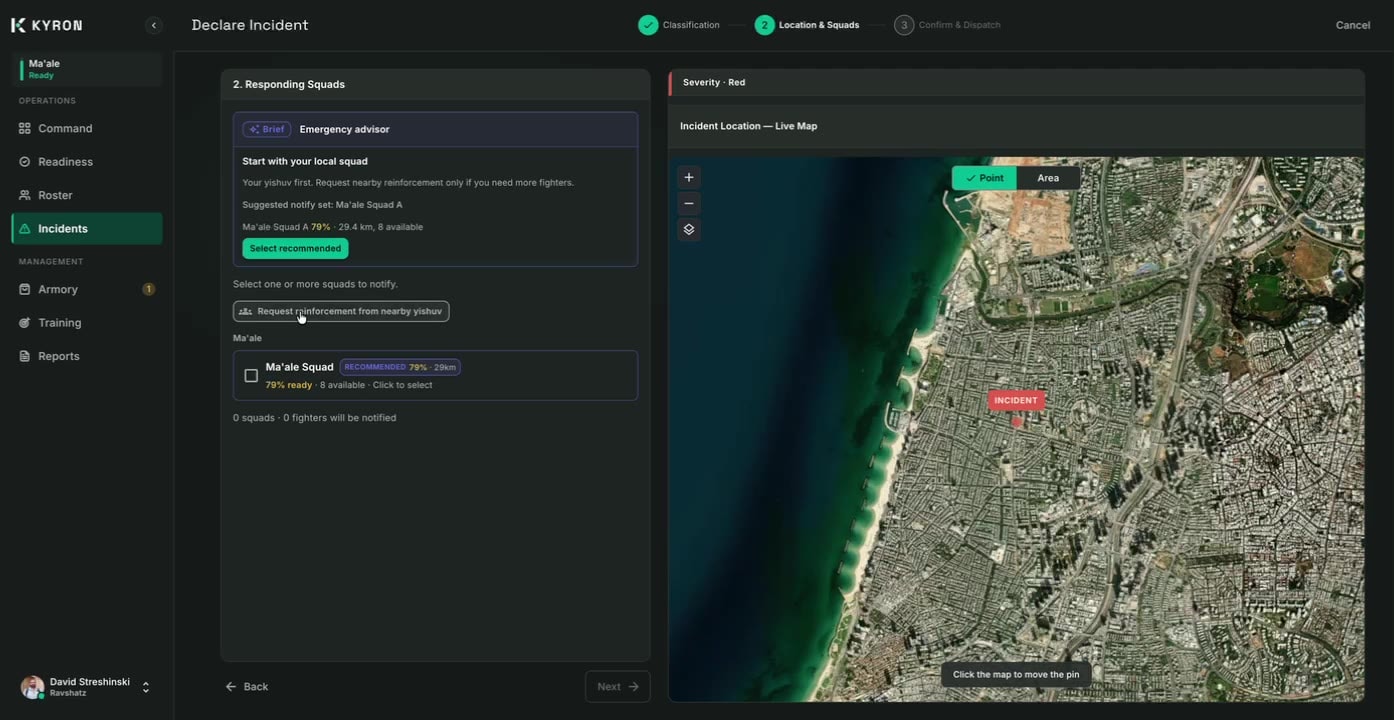
- 2. Location & Squads: tip strip plus ranked squad picks with purple Recommended badges; Select recommended fills the squad list.
- 3. Confirm & Dispatch: tip strip on missing fields and whether the selection matches the recommendation, with an optional Select recommended.
KYRON’s value depends on records being trustworthy. Adding AI to that surface creates a specific risk. The question I set myself wasn’t “what can AI do here” but “how do I make its output unmistakable.”
Decisions
A separate visual layer
Operational data is teal. The advisor lives in a purple, labeled panel. The separation is visible before you read a word.
- 1
Label. “Brief · Emergency advisor” names the source before you read the advice.
- 2
Color. Purple marks the advisor’s surfaces. Operational data stays teal.
- 3
Boundary. Advice lives in its own panel, outside the fields that become the record.
Nothing happens without the person
A suggestion never advances the wizard or dispatches on its own. The one exception: "Select recommended" fills the squad selection — but the coordinator still confirms before anything is sent.
“Declare and dispatch? This broadcasts a call-out to the selected squads. It cannot be undone.”
Why recommended
The advisor scores every squad that has at least one available fighter: 40% the squad’s readiness, 30% the share of its members available right now, and 30% proximity (full marks on top of the incident, minus 12 points per km). The top three become the Recommended set, and each badge shows its evidence — “79% · 29 km” — while the strip says it plainly: “weighted for readiness, available fighters, and proximity — not distance alone.”
A settlement coordinator always sees their own squad first, with nearby reinforcement as an explicit, separate request.
40%
Readiness
The squad’s readiness score
30%
Available now
Share of its members available
30%
Proximity
Full marks on site, −12 per km
The top three are badged with their evidence:Recommended79% · 29 km
Recommendations can be wrong — they’re only as current as the readiness and availability records behind them. That’s why every badge shows its evidence, any squad can be picked instead, and nothing is sent until the coordinator confirms.
Advice next to the decision it informs
The advisor has a place in the flow, not a conversation. AI also appears elsewhere in the product; beyond the wizard and the incident summary below, those surfaces are out of scope here.
After dispatch
A summary, never the record
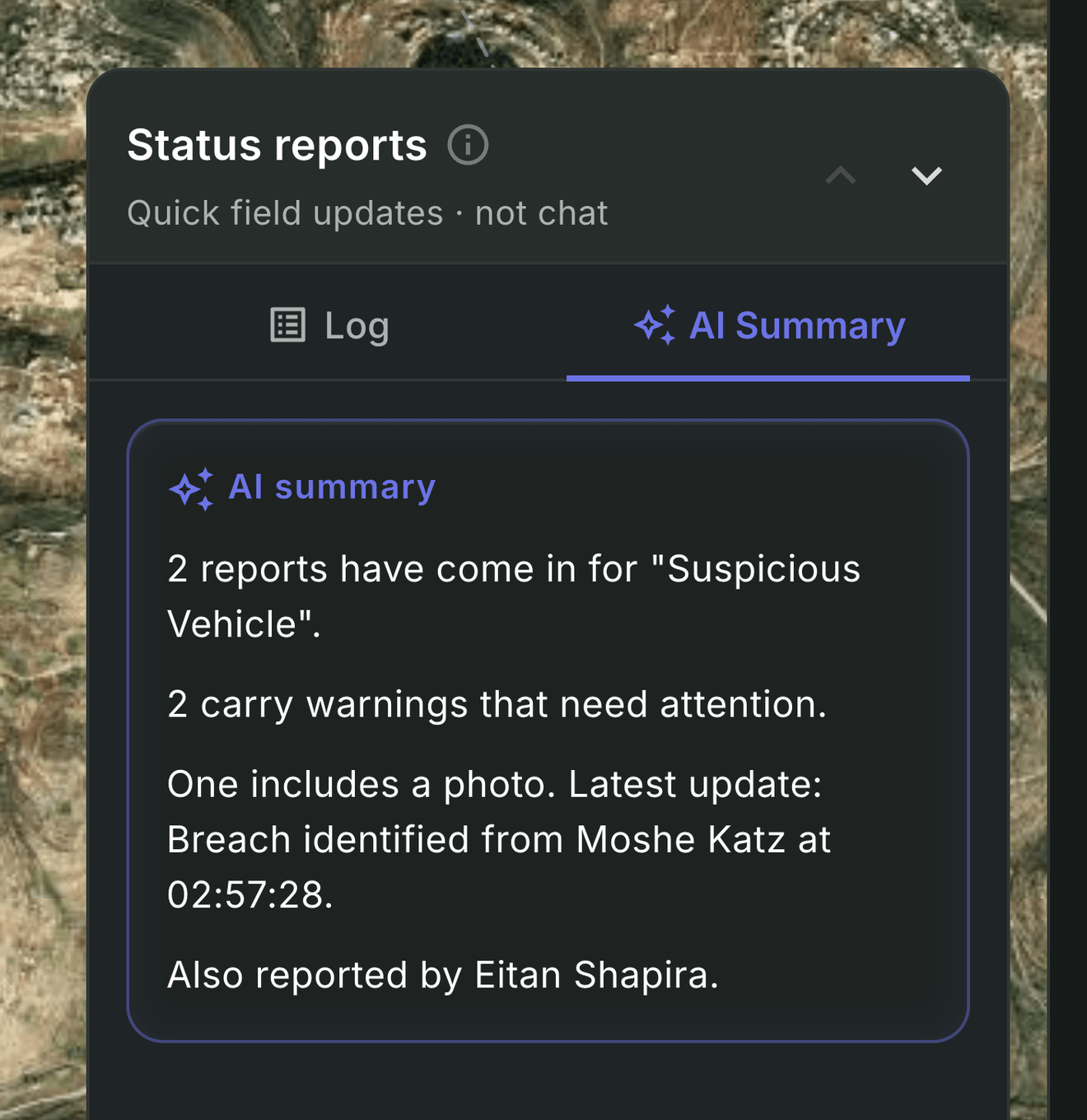
Once squads are moving, field reports arrive faster than a coordinator can read them. The Status reports panel offers an AI Summary — what came in, which reports carry warnings, the latest update and who sent it — in the same purple, labeled layer. The raw log stays one tab away.
- 1
The log stays one tab away. The raw reports are the record. The summary sits beside them and never replaces them.
- 2
Labeled AI Summary. Purple, marked and named — the same layer as the wizard’s advisor.
Where it could go
17 to 47 percent
Response rates of volunteer first responders in recent studies, as cited by Khalemsky et al., JMIR mHealth and uHealth 2023
The same study predicted who would ignore an alert with 79.1% accuracy — and was far worse at predicting who would respond (46.5%). That points to where the advisor goes next: helping decide who to call first — already sketched in the code as an “unlikely to respond” hint that shows its reason and never removes anyone from a call-out.
What I learned
- 01
Boundaries are the design.
In a tool people rely on under stress, the most important AI decision is visual, not technical.
- 02
Templates first was the right order.
With inputs and outputs fixed, choosing a model becomes a swap behind the same interface, not a redesign.
- 03
Next: test it with coordinators.
The pattern is designed and built. The next step is validating it with the people who’d use it under pressure.
In a tool people trust under stress,the most important AI decision is visual.